
屏幕套壳
给屏幕录像或者截屏套上手机框Put polished device frames around recordings and screenshots
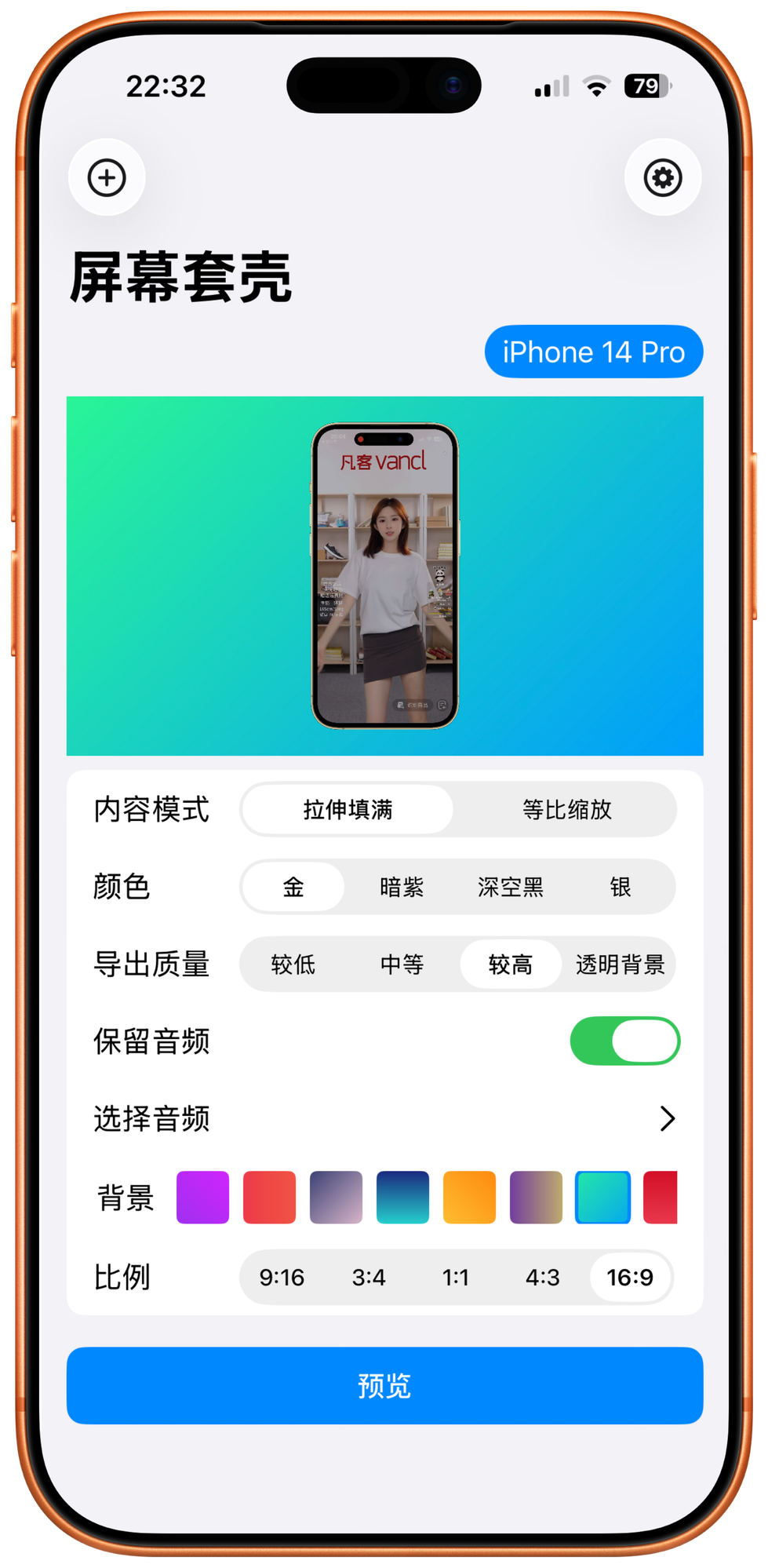
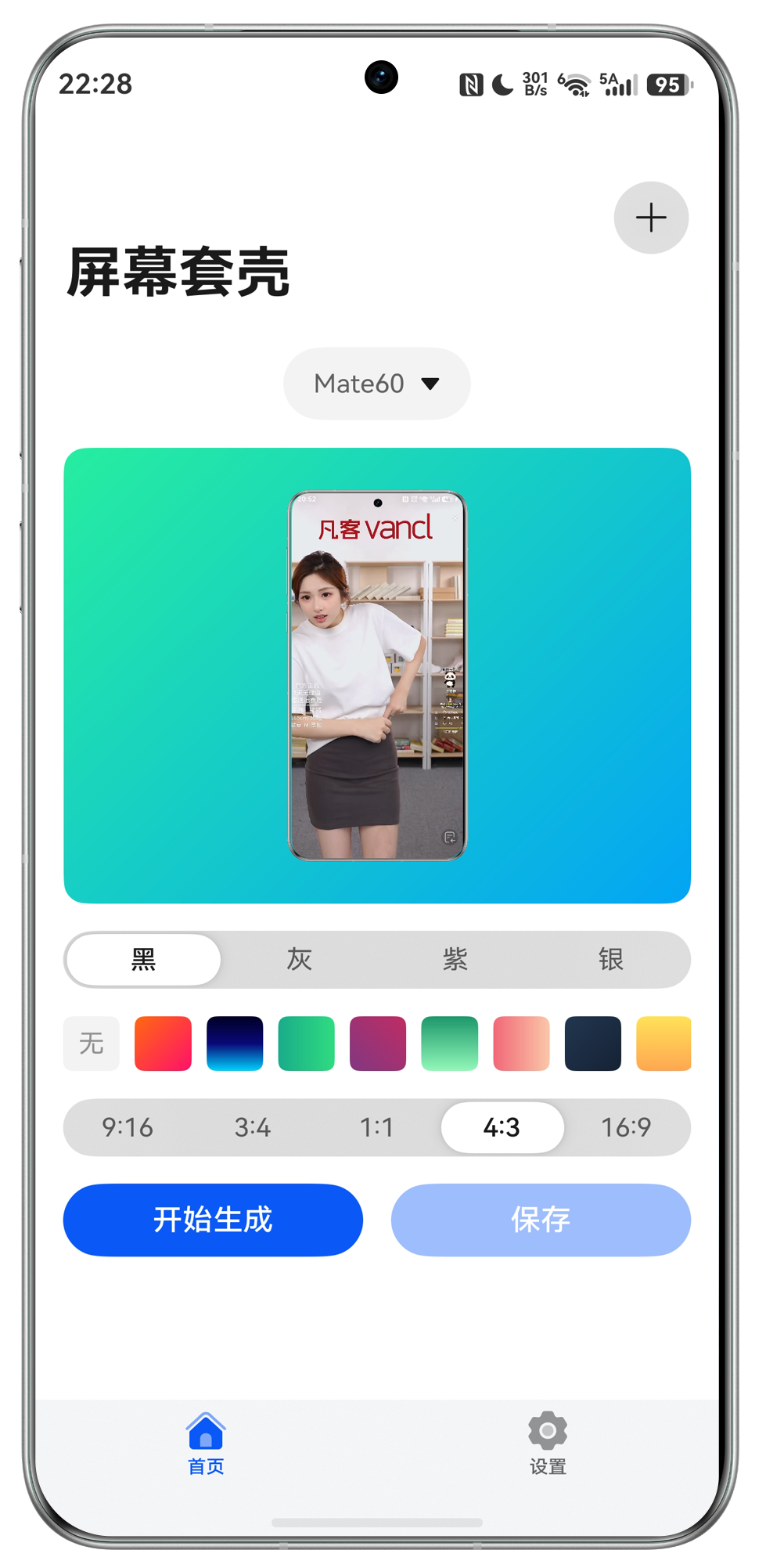
不止录屏能套壳,截屏也能套壳。屏幕套壳支持 iOS 与 HarmonyOS,可为屏幕录像或截屏套上精美的 iPhone、iPad 和华为手机外壳,添加背景颜色、选择更多机型,并查看实时进度,让网站和展示材料更有质感。ScreenCase supports both iOS and HarmonyOS, wrapping screen recordings and screenshots in beautiful iPhone, iPad, and Huawei device frames. Add background colors, choose from more device models, and track real-time progress for cleaner websites, demos, and presentation materials.


- 双平台支持Platforms
- iOS + HarmonyOS
- 设备外壳Device frames
- iPhone / iPad / Huawei
- 导出素材Exports
- PNG / Video
一次整理 iOS 与 HarmonyOS 的展示素材。Prepare iOS and HarmonyOS showcase assets in one workflow.
屏幕套壳把 iPhone、iPad 与华为手机外壳放在一起,适合应用官网、商店素材、教程封面和产品演示。ScreenCase brings iPhone, iPad, and Huawei frames together for app websites, store assets, tutorial covers, and product demos.
录屏和截屏都能套壳Frames for videos and screenshots
把屏幕录像或截屏放进精美设备外壳里,用于网站、应用介绍、教程和展示材料。Wrap screen recordings and screenshots in polished device frames for websites, app pages, tutorials, and demos.
更多机型和背景颜色More models and backgrounds
iOS 支持选择更多 iPhone、iPad 机型,还可以添加背景颜色并查看实时处理进度。On iOS, choose from more iPhone and iPad models, add background colors, and watch real-time progress.
华为手机外壳Huawei device frames
HarmonyOS 支持 Mate 60、Mate 60 Pro、Mate 60 Pro Plus、P60、P60 Art 等华为设备外壳。HarmonyOS supports Huawei frames including Mate 60, Mate 60 Pro, Mate 60 Pro Plus, P60, and P60 Art.
覆盖更多机型,也照顾导出细节。More device models, with export details handled.
iOS 的 iPhone/iPad 机型库与 HarmonyOS 的华为外壳合并呈现,录屏和截屏都能快速变成可发布素材。The iOS iPhone/iPad frame library and HarmonyOS Huawei frames work together, turning recordings and screenshots into publish-ready assets.
iPhone 全系外壳iPhone frame library
覆盖 iPhone 17、16、15、14、13、12、11、XR、Xs、X、8、7、6s、SE 等机型。Covers iPhone 17, 16, 15, 14, 13, 12, 11, XR, Xs, X, 8, 7, 6s, SE, and more.
iPad 与 iPad ProiPad and iPad Pro
支持 iPad、iPad mini、iPad Air、iPad Pro 11 寸/12.9 寸,以及 M4、M5 机型。Supports iPad, iPad mini, iPad Air, iPad Pro 11-inch/12.9-inch, and M4/M5 models.
HarmonyOS 华为外壳HarmonyOS Huawei frames
支持 Mate 60、Mate 60 Pro、Mate 60 Pro Plus、P60、P60 Art。Supports Mate 60, Mate 60 Pro, Mate 60 Pro Plus, P60, and P60 Art.
背景颜色Background colors
为录屏或截屏添加背景颜色,让导出的素材更适合展示。Add background colors so exported assets fit your presentation style.
实时进度Real-time progress
处理视频或图片时查看实时进度,等待过程更清楚。Track progress while videos or images are being processed.
透明背景导出Transparent export
保存到文件可获得透明背景视频或图片,方便进入剪辑和设计工具。Save to Files to keep transparent backgrounds for editing and design tools.
打开屏幕套壳,直接生成展示素材。Open ScreenCase and create showcase assets instantly.
从 App Store 或华为 AppGallery 下载,为 iOS 与 HarmonyOS 的录屏、截屏套上精美手机框。Download from the App Store or Huawei AppGallery, then frame iOS and HarmonyOS recordings and screenshots beautifully.

用户反馈聚焦机型、价格和解锁体验。Users focus on models, pricing, and unlock experience.
这些评价提醒我们:跨平台机型覆盖、付费前预览和清晰的会员权益都很重要。These reviews highlight the importance of cross-platform model coverage, previews before payment, and clear membership benefits.
从免费体验到会员解锁。From free trial to member unlock.
免费用户无法更换机型且带水印;会员可去掉水印、选择机型,并享受未来更新。Free users keep a fixed model and watermark. Members remove the watermark, choose device models, and receive future updates.
免费用户Free
¥0
可体验基础套壳流程,但无法更换机型,导出带水印。Try the basic framing flow, with fixed model selection and watermark export.
- 基础导出Basic export
- 无法更换机型Fixed device model
- 带水印Watermark included
月付Monthly
¥6
适合短期制作素材,去掉水印并可选择机型。Best for short-term asset creation with no watermark.
- 去掉水印No watermark
- 可选机型Choose device models
- 适合短期项目Short-term projects
年付Annual
¥29.99
适合长期更新应用截图和演示视频,性价比更高。Better value for ongoing app screenshots and demo videos.
- 去掉水印No watermark
- 可选机型Choose device models
- 未来免费更新Future updates
永久Lifetime
¥38
一次购买,长期去水印并解锁机型选择。One purchase for long-term model selection and no watermark.
- 去掉水印No watermark
- 可选机型Choose device models
- 长期使用Long-term use
常见问题Frequently asked questions
这里整理了透明背景导出和剪辑工具兼容性相关问题。Answers about transparent exports and editing-tool compatibility.
如何获得透明背景的视频或图片?How do I export video or images with a transparent background?
点击保存按钮时会弹出系统弹窗,不要选择保存到相册,一定要选择保存到文件,这样才能获得透明背景。新版本已增加震动提示,也可以在设置中关闭。When the system save dialog appears, do not choose Save to Photos. Choose Save to Files instead to keep the transparent background. The latest version also adds a vibration hint, which can be turned off in settings.
手机版剪映为什么无法使用透明背景视频?Why cannot the mobile CapCut use transparent background videos?
目前手机版剪映无法导入文件,只能导入相册里的文件,正在寻找其他解决办法。手机版 iMovie 可以使用,电脑版本剪映和其他剪辑工具,例如 FCPX、PR 等都没有问题。The mobile version of CapCut currently cannot import files directly and can only import from Photos, so we are looking for another solution. Mobile iMovie works, and desktop CapCut plus editors like FCPX and Premiere Pro work normally.